

You know that feeling when your synth patch sounds flat? It sits in the mix like a cardboard cutout. You want it to breathe, to move, to sound like it’s alive in a room. That’s where modulation effects come in. Specifically, the holy trinity of keyboard movement: chorus, flanger, and phaser. These aren't just guitar pedals you borrow; they are essential tools for shaping the character of electric pianos, synthesizers, and organs.
But here is the catch: most people use them wrong. They slap a chorus on everything, or they drown their lead line in feedback-heavy flanging until it sounds like a jet engine taking off in a bathroom. To get those lush, evolving textures heard on classic records-from the swirling pads of the 70s to the crisp electric piano tones of modern indie-you need to understand how these effects actually work and, more importantly, how to chain them together.
The Big Three: What Are We Actually Doing?
Before we talk about chains, let’s clear up the confusion. Chorus, flanger, and phaser all do one thing: they mix your dry signal with a processed copy of itself. The difference lies in how that copy is processed.
Chorus is the subtlest of the bunch. It simulates the natural variations in timing and pitch that occur when multiple musicians play the same note at once. Technically, it takes your signal, delays it by roughly 20-50 milliseconds, and modulates that delay time with a low-frequency oscillator (LFO). This slight pitch wobble creates width and thickness without obvious motion. Think of the warm, ensemble-like sound of a Roland Juno-60 string pad. That’s chorus doing its job quietly.
Flanger is chorus’s aggressive cousin. It uses much shorter delay times-typically under 15 milliseconds. When you mix this short-delayed signal back with the dry audio, you get comb filtering. This creates a series of peaks and notches in the frequency spectrum. As the LFO sweeps the delay time, those notches sweep through the frequencies, creating that iconic "whoosh" or jet-plane sound. It’s metallic, intense, and unmistakable.
Phaser skips the delay line entirely. Instead, it uses all-pass filters to shift the phase of specific frequency bands. Like flanging, this creates moving notches in the spectrum, but because there’s no actual delay time involved, the effect feels smoother and less "metallic." Phasers are often described as liquid or organic. They are perfect for Rhodes pianos and organ tones where you want movement that doesn’t sound artificial.
| Effect | Mechanism | Delay Time | Sonic Character | Best For |
|---|---|---|---|---|
| Chorus | Modulated Delay + Pitch Shift | 20-50 ms | Lush, Wide, Ensemble | Pads, Strings, Clean E-Piano |
| Flanger | Short Modulated Delay + Feedback | < 15 ms | Metallic, Sweeping, Intense | Leads, Psychedelic Textures, FX |
| Phaser | All-Pass Filters (Phase Shift) | N/A (Filter-based) | Swirling, Liquid, Organic | Rhodes, Organ, Warm Pads |
Why Keyboards Need Special Treatment
Guitarists have been abusing modulation pedals since the 70s, but keyboards present unique challenges. First, keyboards often produce sustained, polyphonic chords. If you apply heavy flanging to a complex chord, the comb filtering can cause phase cancellation issues that make certain notes disappear or sound thin. Second, many keyboard sounds (like sine waves) lack harmonics. Modulation effects rely on harmonics to create their sweeping notches. A pure sine wave might barely react to a phaser unless you add some distortion first.
This is why context matters. On a Hammond B3 organ, a slow phaser adds life without muddying the tone. On a bright digital piano, a fast flanger might sound harsh and digital. Understanding your source material dictates your settings.
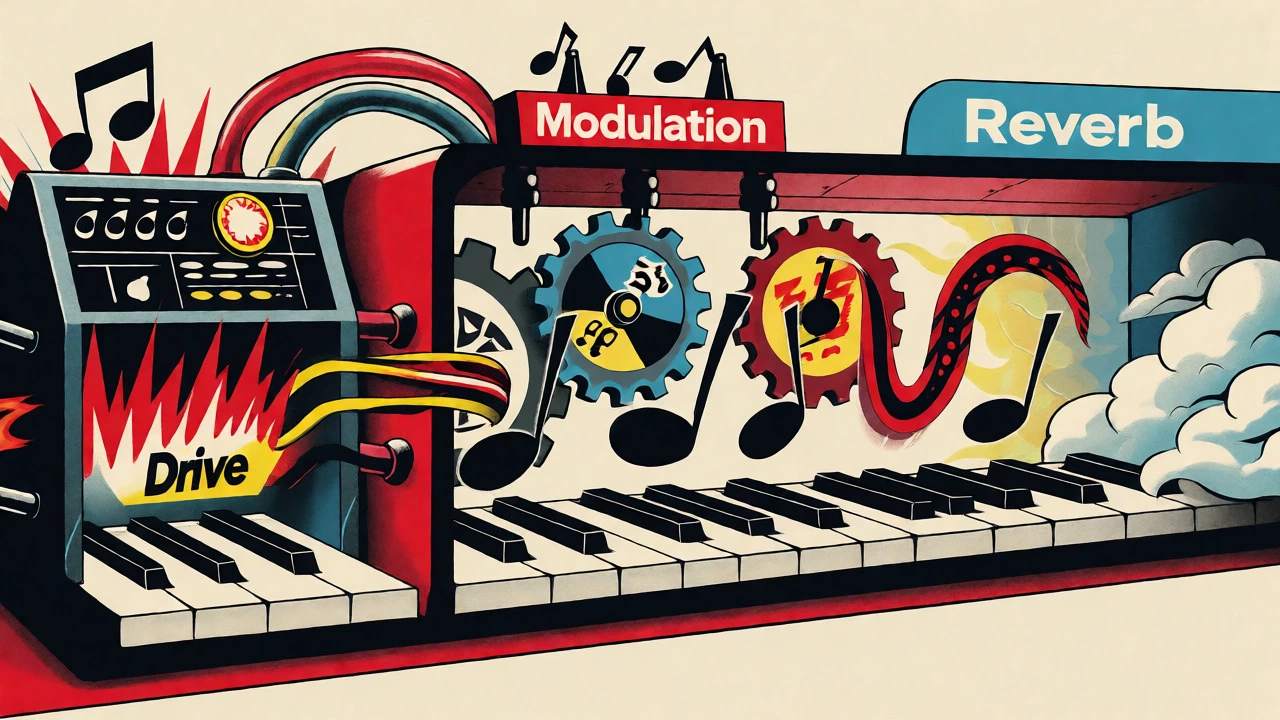
Building Your Signal Chain
Where you place these effects in your chain changes everything. Here is the general rule of thumb for keyboard rigs:
- Source: Synth, Electric Piano, or Organ.
- Drive/Saturation: Overdrive, Distortion, or Amp Simulation. Modulation before drive gets chewed up; modulation after drive stays clear.
- Modulation: Chorus, Phaser, or Flanger.
- Spatial: Reverb and Delay.
Let’s break down why this order works. Placing modulation after drive ensures that the sweeping notches affect the full harmonic content created by the distortion. If you put a flanger before an overdrive pedal, the distortion will smear the precise comb-filtering patterns, resulting in a muddy, undefined wash. Conversely, placing reverb before modulation usually results in a smeared, indistinct mess. You want the dry, modulated signal to hit the reverb tail, so the spatial effect carries the movement.
Scenario 1: The Classic Electric Piano
If you’re playing a Rhodes or Wurlitzer, you probably want warmth and subtle movement. Start with a Boss CE-1-style chorus emulation. Set the rate slow (around 0.5 Hz) and the depth moderate. This thickens the single-note lines without making them sound seasick. If you want more vibe, add a light phaser after the chorus. Use a 4-stage phaser setting for subtlety. Avoid flangers here unless you are going for a very specific retro-futuristic texture.
Scenario 2: The Swirling Synth Pad
For ambient pads, you want width and evolution. Try chaining two different modulation types. Place a chorus first to widen the stereo image. Then, follow it with a flanger set to a very slow rate and high feedback. The chorus provides the base width, while the flanger adds a slow, hypnotic sweep over the top. Keep the wet/dry mix balanced so the fundamental pitch remains audible. If the pad loses its tonal center, dial back the flanger depth.
Scenario 3: Aggressive Lead Lines
Progressive rock and fusion keyboardists love dramatic leads. Here, a flanger is your best friend. But instead of drowning it in feedback, try a "vintage" flanger mode with minimal feedback. Sweep the rate manually if your pedal has a tap-tempo or expression pedal input. Alternatively, use a multi-stage phaser (8 or 12 stages) for a deeper, more resonant sweep that cuts through a dense mix better than a simple 4-stage unit.
Common Pitfalls and How to Fix Them
The Seasick Effect: This happens when the LFO rate is too fast or the depth is too extreme. Your ears lose track of the pitch. Fix: Slow down the rate. Most musical modulation happens between 0.1 Hz and 2 Hz. Anything faster starts sounding like vibrato, which is rarely desirable on sustained keys.
Phase Cancellation: If your keyboard sounds thin or hollow when you engage modulation, you likely have phase issues. This is common in mono-summed signals or when using dual-mono plugins incorrectly. Fix: Check your polarity. Some pedals have a "phase invert" switch. Toggle it to see if the body returns. Also, ensure your dry/wet mix isn't causing destructive interference at specific frequencies.
Muddy Mixes: Too many modulation effects stacked together blur articulation. If you have a busy left-hand part and a right-hand melody, don’t put heavy modulation on both. Keep the bass clean and tight. Apply modulation only to the mid-range and high-end elements. This preserves clarity and prevents the low end from becoming unstable.

Hardware vs. Software: What Should You Use?
In 2026, you have options. Analog hardware units like the original Eminent Solina architecture inspired countless modern designs. The charm of analog bucket-brigade device (BBD) circuits is their inherent noise and slight imperfection, which adds character. Digital plugins, however, offer precision and flexibility.
If you are recording in a DAW, software emulations of the JC-120 or CE-1 are incredibly accurate and allow for automation. You can automate the LFO rate during a solo build-up, something difficult to do live with a foot pedal. However, for live performance, hardware pedals provide tactile control. Stomping on a flanger to trigger a swell is intuitive. Many modern multi-effects units combine all three effects in one box, allowing you to save presets for different songs. Look for units with true bypass and stereo outputs, as stereo modulation significantly enhances the sense of space on keyboards.
Final Thoughts on Sound Design
There is no single "correct" chain. The best setup depends on the song, the instrument, and the emotion you want to convey. Experimentation is key. Try putting a phaser before a chorus. Try running a flanger in parallel with a dry signal. Listen to how the interaction changes the timbre.
Remember, modulation is about adding life to static electronic sounds. Use it to tell a story. Let the effect evolve with the music. Whether you’re chasing the ghost of a 70s prog record or crafting a modern ambient soundscape, mastering these three tools will elevate your keyboard game from functional to expressive.
What is the main difference between chorus and flanger?
The primary difference is delay time and intensity. Chorus uses longer delays (20-50ms) and subtle pitch modulation to simulate multiple players, creating width and thickness. Flanger uses very short delays (<15ms) and often includes feedback, creating pronounced comb-filtering notches that result in a sweeping, jet-plane "whoosh" sound.
Should I put modulation before or after distortion on my keyboard?
Generally, place modulation effects after distortion or amp simulation. If you place them before, the distortion process smears the precise frequency notches created by the modulation, leading to a muddy and undefined sound. Placing them after ensures the sweeping effect remains clear and distinct.
Why does my keyboard sound thin when I use a flanger?
This is likely due to phase cancellation. Flangers create notches in the frequency spectrum by mixing delayed signals. If these notches align with the fundamental frequencies of your chords, those notes can disappear. Try reducing the feedback amount, adjusting the depth, or checking if your pedal/plugin has a polarity inversion switch to restore body.
Can I use guitar pedals on synthesizers?
Yes, absolutely. Most guitar modulation pedals work well with keyboards, but be mindful of level matching. Synthesizers often output higher line-level signals than guitars. You may need to lower the input gain on the pedal or use a volume pedal to prevent clipping. Stereo pedals are particularly beneficial for keyboards to enhance the spatial image.
How many stages should my phaser have for keyboard pads?
For subtle, organic movement on pads and electric pianos, a 4-stage phaser is usually sufficient. It provides a gentle swirl without being overly aggressive. For more dramatic, psychedelic sweeps or thicker textures, look for 8-stage or 12-stage phasers, which create deeper and more numerous notches in the frequency spectrum.